From the Wick Editor menu bar (top of the screen), choose "learn".
Select Tutorial #1 Getting Started with Animation.
Watch this video several times until you feel comfortable navigating the interface.
Return to the main Wick Editor App and choose Launch Web Editor.
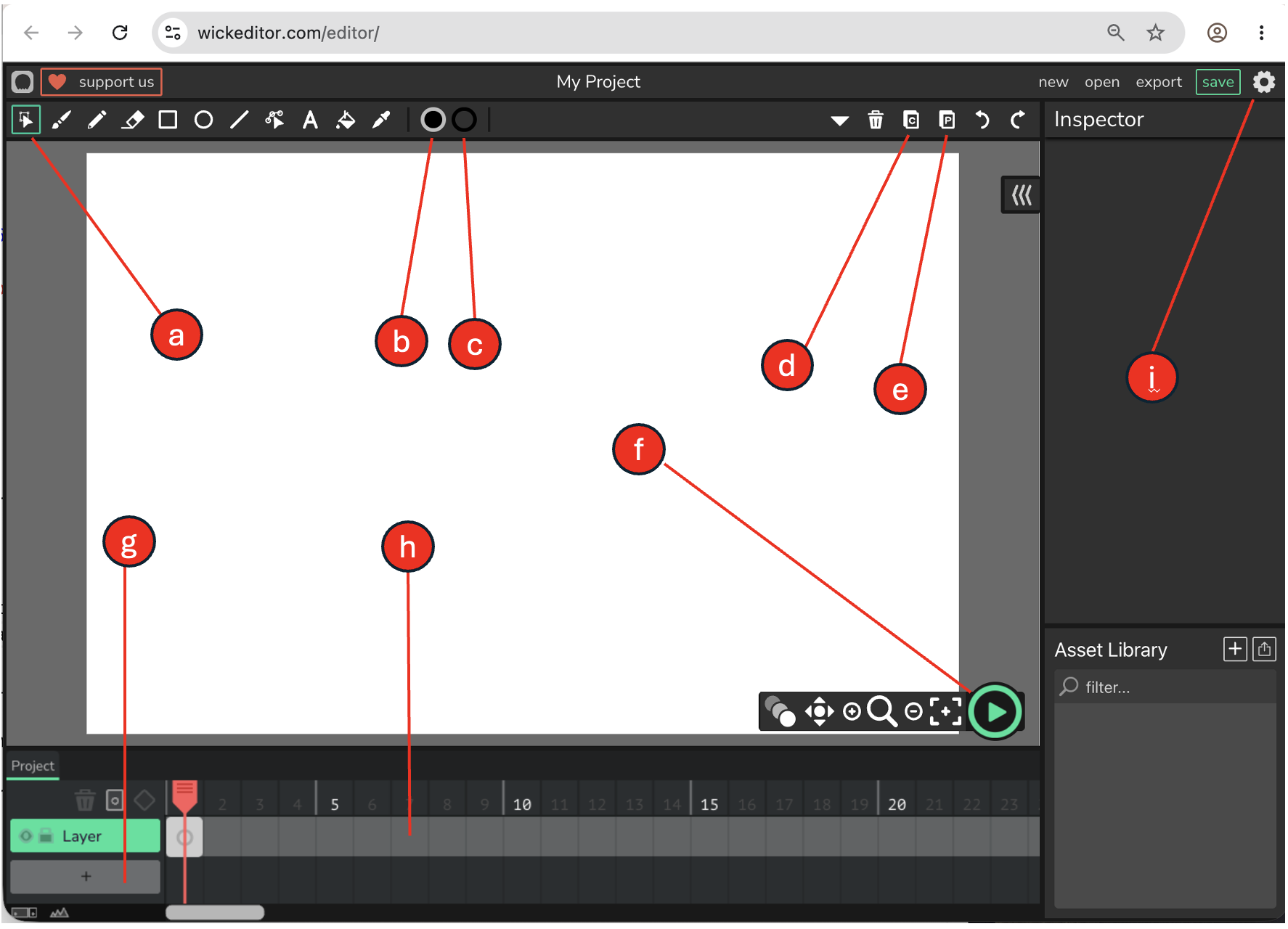
Using the image below, identify the purpose of each of the circled items.
Submit your answers to canvas.
Part 2: Use Wick Editor to reproduce the vector images shown below.
You may draw these images, and use any tools, as you wish.
TIPS:
Start by selecting the line tool in Wick Editor.
Use the line tool to create the general shape of the image.
Apply curves and connect the lines.
Apply color to the completed shape.
You may create both images within the same Wick Editor document.